SMARTSHEET BACKUP
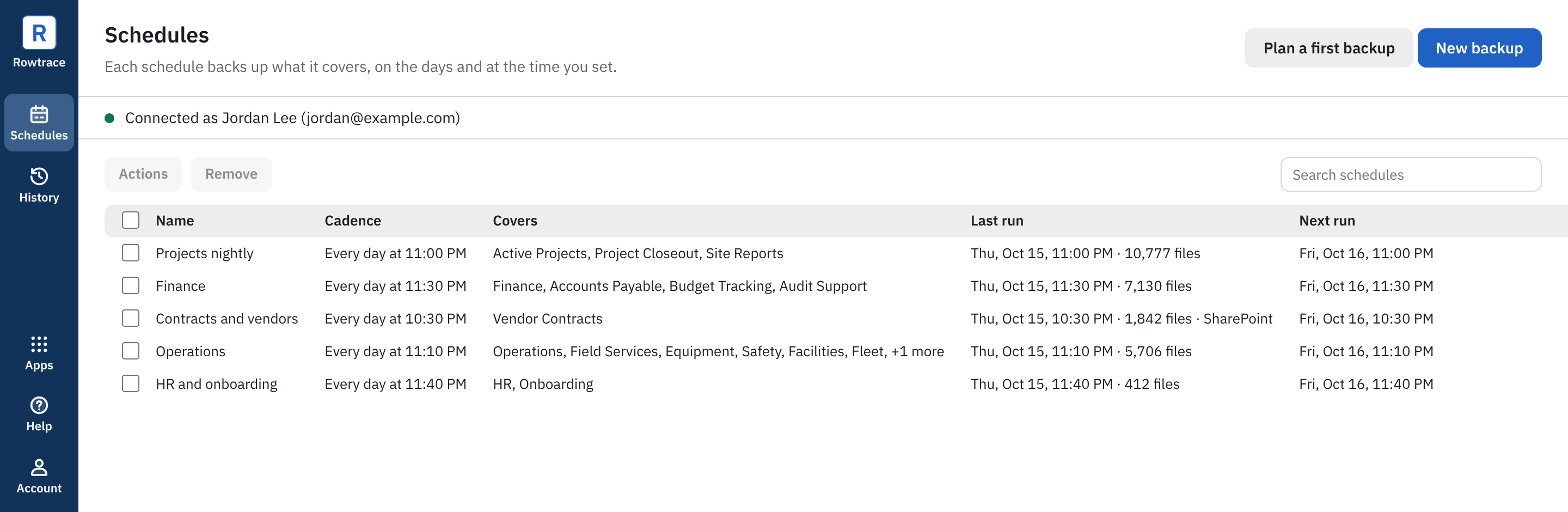
The Schedules screen, shown with sample schedules.
Your Smartsheets backed up your way.
Where you want. To a company computer or SharePoint.
When you want. Your schedule, when, how often, how many.
How you want. Structured folders that align with your Smartsheet environment.
What you get
Structured Smartsheet aligned folders
Navigating to a file in a backup is just like navigating to a file in a Smartsheet. Just drill down. Every Smartsheet row has its own folder.
A manifest for every sheet
A CSV and an HTML page listing every file with its row, version, size, URL for linked attachments, who uploaded it, and when it was uploaded.
Runs on your schedule
Backups run on days and at times you choose. Keep as many days as you like. Only changed files download, and every run is a complete copy.
Checked before it's done
Every file is checked against the size Smartsheet reported. A run is marked Done only when every file is on disk.